See how Vantage runs a yard — from a phone
Real screens from the app. No call and no signup needed to look. When you’re ready, start free with no card and run it on your own yard.
No signup, no card. Opens a sample yard straight away — sample data, not a live yard.
See it in action
The actual app.
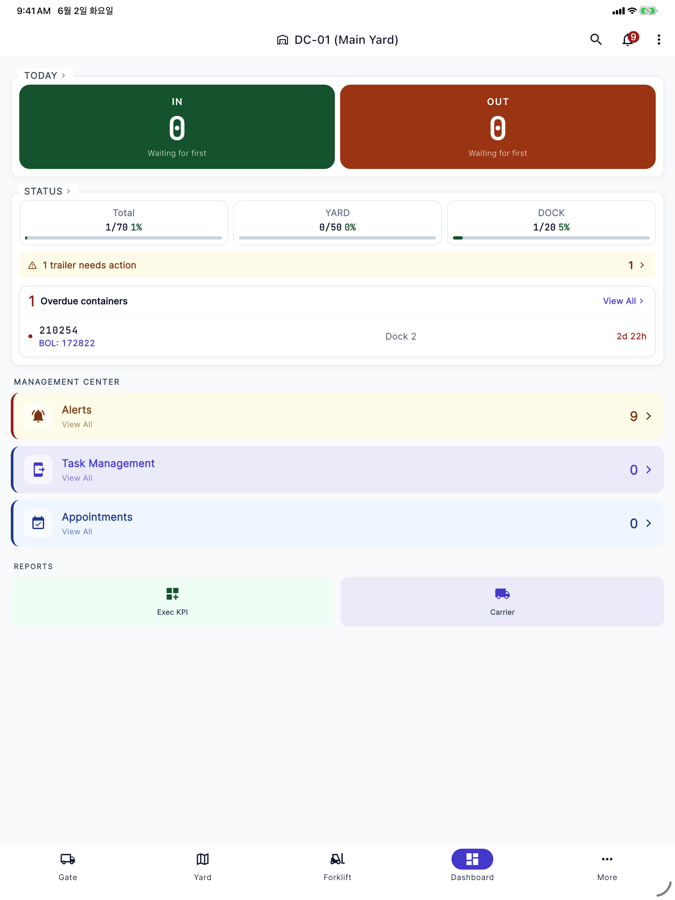
The whole yard at a glance
Open the app and see today’s trailers in and out, how full your yard and docks are, and which containers have been sitting too long — on one screen. Anything that needs action is flagged at the top.
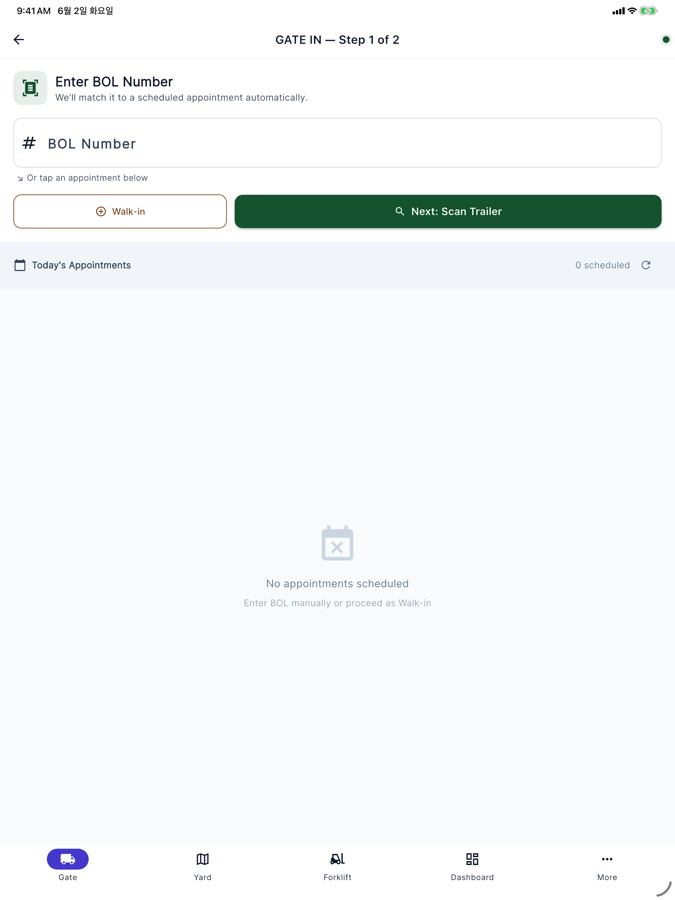
Check a truck in by BOL
Type the BOL and Vantage matches it to the scheduled appointment automatically. No appointment? Tap walk-in. The next step reads trailer and container numbers from a photo; container numbers also get the ISO 6346 check digit; the clerk confirms every read.
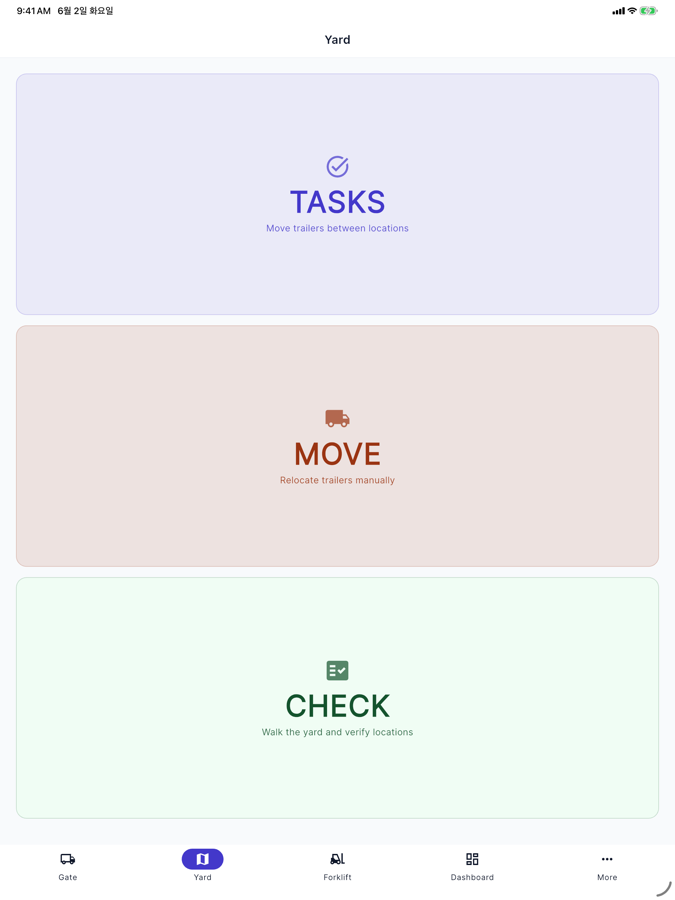
Run the yard, not a clipboard
Move a trailer from the Move screen, or walk the yard and verify each spot (Pro) — from the same phone. In the iPhone app it keeps working offline and syncs automatically when the signal comes back.
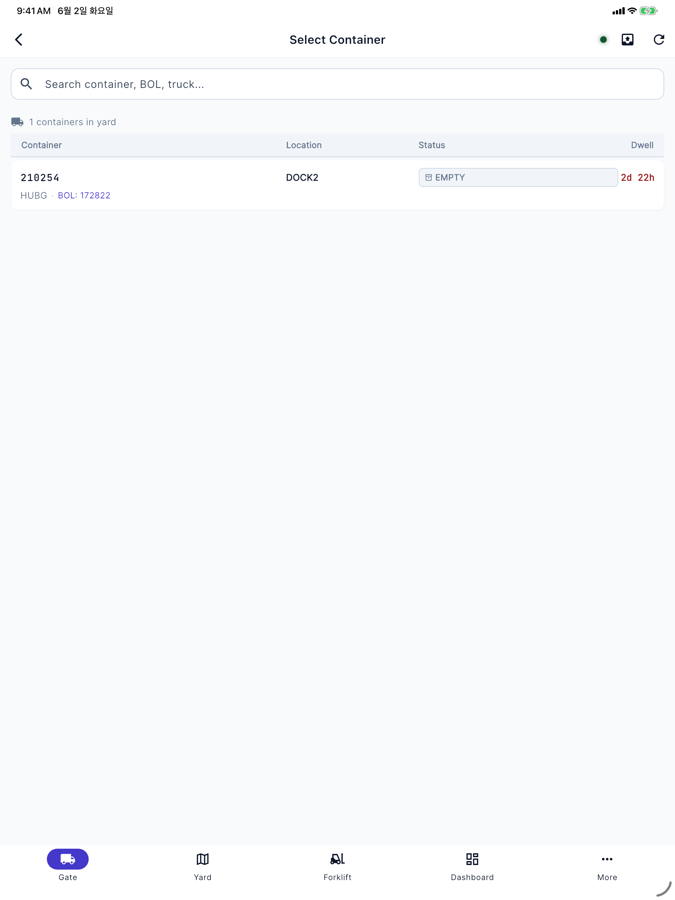
Know what’s been sitting too long
Tap OUT to check a trailer out, then pick it from the yard — each one shows its dwell time, with overdue hours in red. So a trailer that’s been sitting too long is visible while you can still act on it, instead of finding out after the fact.
That’s the loop
Gate in, run the yard, gate out — from a phone in your pocket. No scanners, no installed hardware. Lite $149/mo, Pro $349/mo, Scale $649/mo. Free plan, no card, no setup fee.
Rather click around first? The demo needs no signup and no card. Sample data, not a live yard.
Questions
Do I need special hardware?
No. Vantage runs on iPhone, iPad and any web browser — no handheld scanners and no installed gate hardware. The camera scan and offline mode are in the iPhone and iPad app; in a browser you type the number.
Can I try it without talking to sales?
Yes. Start free with no card (all Pro features for 14 days, then the Free plan, which never expires) and run it on your own yard. No demo call is required — but we're happy to give you one. Email the founder to set one up.
Does it work offline?
In the iPhone app, yes. It keeps up to 500 gate records for 14 days while the signal is down and syncs when it returns. The browser version needs a connection.